 By FMTeam
 QR codes have become part of daily life. From payments to menus to tickets, you just scan and go. But when a QR code suddenly stops working, it can be confusing. The scanner doesn’t detect it, or it scans but shows an error, or nothing happens at all.
Before assuming something is broken, understand this: QR code issues are usually simple—either the code itself has a problem, or the device scanning it does.
Let’s break down all possible reasons and how you can fix them quickly.
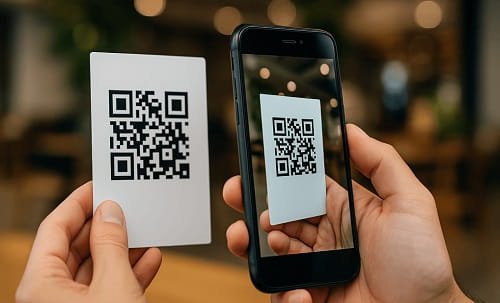
1. Blurry or Damaged QR Code
What’s happening
If the QR code is:
- Torn
- Scratched
- Printed poorly
- Low quality
Your camera may not be able to read it properly.
How to fix it
- Move closer or adjust distance
- Try scanning from different angles
- Ask for a clearer version of the code
Even small damage can break scanning.
2. Poor Lighting Conditions
What’s happening
Low light or too much glare can make the QR code unreadable.
How to fix it
- Scan in a well-lit area
- Avoid direct reflections or shadows
- Turn on your flashlight if needed
Lighting plays a bigger role than people think.
3. Camera Focus Issue
What’s happening
If your camera is not focusing properly:
- QR code appears blurry
- Scanner fails to detect
How to fix it
- Tap screen to focus
- Clean your camera lens
- Hold phone steady
A dirty lens is a common hidden reason.
4. Unsupported QR Code Type
What’s happening
Not all QR codes are the same. Some apps support only specific types (like payment QR).
How to fix it
- Use a general QR scanner app
- Try scanning with another app
Different apps read different formats.
5. Internet Connection Problem
What’s happening
Some QR codes need internet to open links or process payments.
How to fix it
- Check your internet connection
- Switch between Wi-Fi and mobile data
No internet = no action after scanning.
6. Expired or Invalid QR Code
What’s happening
Some QR codes are temporary. If expired:
- It won’t work
- It may show an error
How to fix it
- Ask for a new QR code
- Verify validity
Common in tickets and payment links.
7. Payment QR Not Supported by App
What’s happening
If you’re using apps like Google Pay or Paytm, some QR codes may not be supported.
How to fix it
- Try another payment app
- Ensure it’s a valid UPI QR
Not all payment apps support every QR.
8. App Glitch or Bug
What’s happening
Sometimes the scanning app has:
- Bugs
- Freezing issues
- Camera errors
How to fix it
- Restart the app
- Update the app
- Reinstall if needed
A quick restart often fixes it.
9. Phone Software or Compatibility Issue
What’s happening
Older devices or outdated software may struggle with QR scanning.
How to fix it
- Update your phone software
- Use a different device if needed
Technology compatibility matters.
10. QR Code Too Small or Too Far
What’s happening
If the QR code is:
- Too small
- Too far away
It becomes hard to scan.
How to fix it
- Move closer
- Zoom in carefully
- Use a high-resolution version
Size and distance directly affect scanning.
When You Should Be Concerned
Take action if:
- QR code never works even after trying everything
- Payment QR fails repeatedly
- You suspect the code is fake
What to do
- Verify the source of the QR code
- Avoid scanning unknown codes
- Contact the provider
Smart Tips to Avoid QR Code Issues
- Always scan in good lighting
- Keep your camera clean
- Use updated apps
- Verify QR source before scanning
- Keep internet active
Final Thoughts
When a QR code is not working, it’s usually a small issue—lighting, focus, app, or internet. Rarely is it something serious.
The key is simple: adjust, retry, and check the basics before assuming it’s broken.
A few small tweaks usually solve the problem instantly.