 By FMTeam
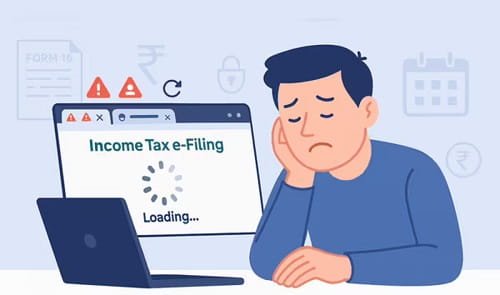
 If you’ve been trying to access the Income Tax Department of India portal and it’s not working, you’re definitely not alone. This is a common issue, especially during peak filing season when millions of users try to log in at the same time.
Sometimes the site won’t load. Sometimes login fails. And in some cases, pages just freeze midway. It can be frustrating, especially when you’re close to a deadline.
But don’t worry. In most cases, the problem is temporary or easy to fix. Let’s go step by step and understand the real reasons behind it—and what you can actually do about it.
1. Heavy Traffic on the Portal
What’s happening
The most common reason is simple: too many users at once.
During ITR filing deadlines, last dates, or major announcements, the portal sees massive traffic. Servers can slow down or even crash temporarily.
How to fix it
- Try logging in during non-peak hours (early morning or late night)
- Avoid weekends or last-date rush
- Refresh after a few minutes instead of repeatedly clicking
In many cases, waiting just 10–15 minutes solves the issue.
2. Scheduled Maintenance or Server Downtime
What’s happening
The portal often goes offline for maintenance updates. These updates improve features, security, or fix bugs.
During this time, you may see:
- “Service unavailable”
- “Portal under maintenance”
- Blank pages
How to fix it
- Check official updates from the Income Tax Department (Twitter or announcements)
- Wait until maintenance is completed
- Try again after a few hours
This is temporary and cannot be fixed from your side.
3. Browser Compatibility Issues
What’s happening
The portal works best with updated browsers. Older versions may not support certain scripts or features.
How to fix it
- Use updated browsers like:
- Google Chrome
- Mozilla Firefox
- Microsoft Edge
- Clear cache and cookies
- Try opening in Incognito mode
Many login and loading issues get fixed instantly after clearing cache.
4. Internet Connection Problems
What’s happening
Sometimes the issue isn’t the portal—it’s your connection.
Slow or unstable internet can cause:
- Pages not loading
- Timeout errors
- Incomplete form submissions
How to fix it
- Switch to a stable Wi-Fi connection
- Restart your router
- Try using mobile data
- Avoid weak network zones
Even a small network fluctuation can break the session.
5. Login Errors (Wrong Credentials or OTP Issues)
What’s happening
Login failures are very common and can happen due to:
- Incorrect password
- Expired OTP
- Mobile/email not updated
How to fix it
- Double-check your login details
- Use “Forgot Password” option if needed
- Ensure your mobile number is active for OTP
- Wait for OTP properly—don’t refresh too quickly
OTP delays are common during high traffic.
6. JavaScript Disabled or System Settings Issue
What’s happening
The portal relies heavily on JavaScript. If it’s disabled, many features won’t work.
How to fix it
- Enable JavaScript in your browser settings
- Disable unnecessary extensions or ad blockers
- Use default browser settings if unsure
Some extensions silently block important scripts.
7. Session Timeout Problem
What’s happening
If you stay inactive for too long, the session expires. Then you may see errors while submitting forms.
How to fix it
- Save your work frequently
- Avoid long inactivity
- Log out and log back in if stuck
This is especially important while filing returns.
8. Technical Bugs or Portal Glitches
What’s happening
Even official portals are not perfect. Bugs can cause:
- Buttons not working
- Forms not submitting
- Errors after upload
How to fix it
- Refresh the page
- Try again after some time
- Switch browser or device
- Report issue through grievance section
Many glitches get fixed automatically within hours.
9. PAN Not Linked or Account Issues
What’s happening
Sometimes access issues happen due to account-related problems like:
- PAN not linked with Aadhaar
- Profile not fully updated
- Verification pending
How to fix it
- Ensure PAN-Aadhaar linking is complete
- Update profile details
- Complete pending verifications
Account issues can block certain features silently.
10. Firewall or Security Software Blocking Access
What’s happening
Some antivirus or firewall settings may block access to government portals.
How to fix it
- Temporarily disable strict firewall settings
- Try from another device
- Use a different network
👉 This is rare but can happen in office networks.
When You Should Be Concerned
Most portal issues are temporary. But you should take action if:
- Problem continues for more than 24 hours
- You are unable to file close to deadline
- Payment or submission failed but amount deducted
What to do
- Raise a complaint on the portal
- Contact helpline support
- Keep screenshots for proof
Smart Tips to Avoid Portal Problems
Here are a few simple habits that save a lot of stress:
- Don’t wait till the last date
- Keep documents ready in advance
- Use a stable laptop instead of mobile
- Save your work frequently
- Log out properly after use
Final Thoughts
If the Income Tax portal is not working, it’s usually not a serious issue. In most cases, it’s due to heavy traffic, minor technical glitches, or simple user-side problems like browser or internet issues.
The key is to stay calm and try basic fixes first—refresh, switch browser, or wait for some time. Rushing and clicking repeatedly often makes it worse.
And one important thing—always avoid last-minute filing. That’s when most problems happen.