 By FMTeam
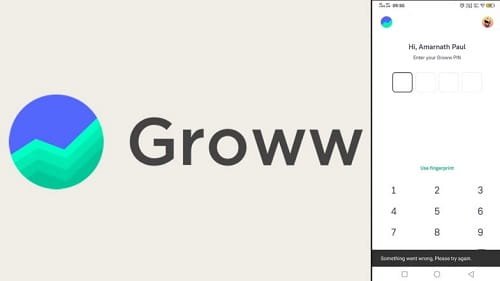
 If Groww suddenly stops working, it can feel more than just annoying—it can cost you real money. Markets don’t wait. Prices move fast. And when your app freezes, fails to log in, or doesn’t execute an order, it creates panic instantly.
But here’s the thing most people don’t realize: in many cases, the problem isn’t as serious as it feels in the moment. It’s often temporary, predictable, and fixable with a few simple steps.
This guide breaks everything down clearly—what actually causes Groww to stop working, what you should do immediately, and how to avoid these issues in the future.
1. Server Overload During Market Hours
What’s happening
The most common reason behind Groww not working is heavy server load. When the market opens at 9:15 AM or during major news events, thousands of users log in at the same time.
This can lead to:
- App not loading
- Delayed price updates
- Orders stuck or failing
How to fix it
- Wait for a few minutes and try again
- Avoid placing repeated orders quickly
- Try after the initial market rush settles
This is not in your control—only the platform can stabilize it.
2. Outdated App Version
What’s happening
If you’re using an older version of Groww, it may not work properly due to updates in security or features.
How to fix it
- Update the app from Play Store or App Store
- Restart your phone after updating
A simple update often fixes unexpected errors.
3. Internet Connectivity Issues
What’s happening
Trading apps need a stable connection. Even a small interruption can cause:
- Login failure
- App freezing
- Orders not going through
How to fix it
- Switch between Wi-Fi and mobile data
- Restart your internet connection
- Avoid weak network areas
Stability matters more than speed here.
4. Login or OTP Problems
What’s happening
Many users face:
- OTP not received
- Login failed
- Account temporarily locked
This usually happens during peak usage times.
How to fix it
- Wait patiently for OTP
- Avoid refreshing multiple times
- Use “Forgot PIN/Password” if needed
Repeated attempts can delay login further.
5. App Cache or Device Issues
What’s happening
Over time, temporary files (cache) can slow down or break the app.
How to fix it
- Clear cache from app settings
- Restart your device
- Reinstall the app if needed
This is one of the fastest and most effective fixes.
6. Orders Not Executing or Getting Rejected
What’s happening
Order failures can happen due to:
- Rapid price changes
- Incorrect order type
- Insufficient balance
- Server delays
How to fix it
- Check order type (Market vs Limit)
- Ensure enough balance
- Retry after a few seconds
In fast-moving markets, timing is everything.
7. KYC or Account Restrictions
What’s happening
If your KYC is incomplete or under review, Groww may restrict:
- Trading
- Withdrawals
- Certain features
How to fix it
- Complete your KYC properly
- Upload valid documents
- Wait for approval
This is common for new users.
8. Funds Not Showing or Payment Issues
What’s happening
Sometimes money gets deducted but doesn’t reflect instantly in your account.
Possible reasons:
- Bank processing delay
- Payment gateway issue
- Server lag
How to fix it
- Wait for 10–30 minutes
- Check your bank statement
- Contact support if delay is long
Avoid adding money repeatedly—it creates confusion.
9. App Crashing or Freezing
What’s happening
The app may crash due to:
- Too many background apps
- Outdated phone software
- Device limitations
How to fix it
- Close unused apps
- Restart your phone
- Update your device software
Older devices face this more often.
10. Exchange or Market-Level Issues
What’s happening
Sometimes the issue isn’t Groww at all. It can be due to stock exchange delays during high volatility.
This can cause:
- Order delays
- Price lag
- Execution issues
How to fix it
- Wait for the market to stabilize
- Avoid panic decisions
- Cross-check with another platform
👉 Even apps depend on exchange systems.
When You Should Take It Seriously
You should act immediately if:
- The app is not working for a long time
- Money is deducted but not showing
- Orders are stuck without updates
What to do
- Contact Groww support
- Raise a ticket through the app
- Keep screenshots for proof
Smart Tips to Avoid Groww Problems
- Update your app regularly
- Use a stable internet connection
- Avoid trading exactly at market opening
- Keep funds ready in advance
- Don’t rely on a single trading app
Final Thoughts
When Groww stops working, it feels urgent—but most issues are temporary. The key is not to panic. Check the basics first: internet, app version, and timing.
The real edge in trading isn’t just speed—it’s staying calm when things don’t go as planned.