 By FMTeam
 If Google Pay suddenly stops working, it can be frustrating—especially when you’re trying to make a quick payment and it fails at the last moment. Whether it’s a pending transaction, app crash, or bank not responding, these issues are more common than you think.
The important thing to understand is this: most GPay problems are temporary and can be fixed within minutes if you know where the issue is coming from.
Let’s break it down clearly—what causes GPay to stop working, what you should do immediately, and how to avoid these problems in the future.
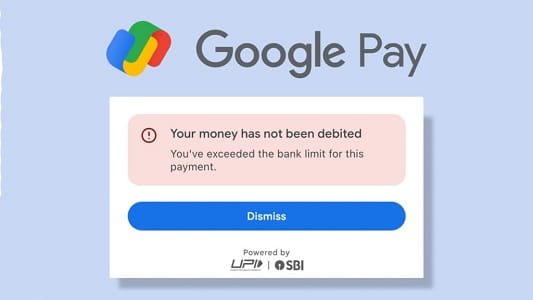
1. UPI Server Down or Bank Server Issue
What’s happening
GPay works on the Unified Payments Interface (UPI), which connects your bank to the app. If either UPI servers or your bank servers are down, payments will fail.
You may see:
- “Payment failed”
- “Bank server not responding”
- Money stuck in processing
How to fix it
- Wait for a few minutes and try again
- Check if your bank server is down
- Avoid making multiple payments instantly
This is one of the most common reasons and usually resolves quickly.
2. Poor Internet Connection
What’s happening
A weak or unstable connection can interrupt the transaction midway.
This can cause:
- Payment failure
- App not loading
- QR code not scanning
How to fix it
- Switch between Wi-Fi and mobile data
- Move to a better signal area
- Restart your internet
Even a short network drop can fail a payment.
3. App Not Updated
What’s happening
Using an outdated version of GPay can lead to bugs or compatibility issues.
How to fix it
- Update the app from Play Store/App Store
- Restart your phone
Updates often fix hidden errors.
4. Incorrect UPI PIN
What’s happening
Entering the wrong UPI PIN will instantly fail the transaction.
How to fix it
- Enter PIN carefully
- Reset PIN if you’ve forgotten it
After multiple wrong attempts, your account may get temporarily blocked.
5. Bank Account or Balance Issue
What’s happening
Payments can fail if:
- You have insufficient balance
- Daily transaction limit is reached
- Bank account is inactive
How to fix it
- Check your bank balance
- Verify daily UPI limit
- Ensure your account is active
Always double-check before retrying.
6. App Cache or Device Problem
What’s happening
Temporary files can cause:
- App freezing
- Payment errors
- Slow performance
How to fix it
- Clear app cache from settings
- Restart your phone
- Reinstall the app if needed
This fix works surprisingly often.
7. Pending or Stuck Transaction
What’s happening
Sometimes money gets deducted but the payment shows as “pending.”
This happens due to:
- Server delay
- Network interruption
How to fix it
- Wait for 24–48 hours
- If failed, money is usually auto-refunded
- Check transaction status in app
Don’t panic—UPI has a strong refund system.
8. Phone Number or SIM Issue
What’s happening
GPay requires your registered mobile number for verification. If there’s an issue with your SIM, payments may fail.
How to fix it
- Ensure your SIM is active
- Keep SIM in primary slot
- Check SMS permissions
OTP and verification depend on this.
9. Daily UPI Limit Reached
What’s happening
UPI has a daily transaction limit (usually ₹1 lakh). Once reached, further payments will fail.
How to fix it
- Wait for the next day
- Use another bank account if urgent
Limits vary slightly by bank.
10. App Permissions Disabled
What’s happening
If permissions like SMS, contacts, or phone are disabled, GPay may not function properly.
How to fix it
- Enable all required permissions in settings
- Restart the app
👉 Permissions are essential for smooth payments.
When You Should Take It Seriously
Take action if:
- Money is deducted but not refunded after 48 hours
- Payment stuck for too long
- App not working for an extended time
What to do
- Raise a complaint in GPay help section
- Contact your bank
- Keep transaction ID and screenshots
Smart Tips to Avoid GPay Issues
- Use a stable internet connection
- Keep your app updated
- Avoid multiple payment attempts quickly
- Check balance before sending money
- Don’t wait till the last moment for important payments
Final Thoughts
When GPay stops working, it feels urgent—but most issues are temporary and get resolved quickly. The key is to stay calm and identify the real problem instead of retrying blindly.
Payments are fast today, but patience still matters when things go wrong.